Timeline
September 2025 - April 2026
Role
UX Research Lead
UX Designer
Collaboration
1 Product Manager
3 Designers
3 Developers
4 Research Stakeholders
Problem
Most people with epilepsy track their seizures and medications using multiple tools, causing confusion and trouble in analyzing symptoms due to the disorganization and users' memory issues.
Solution
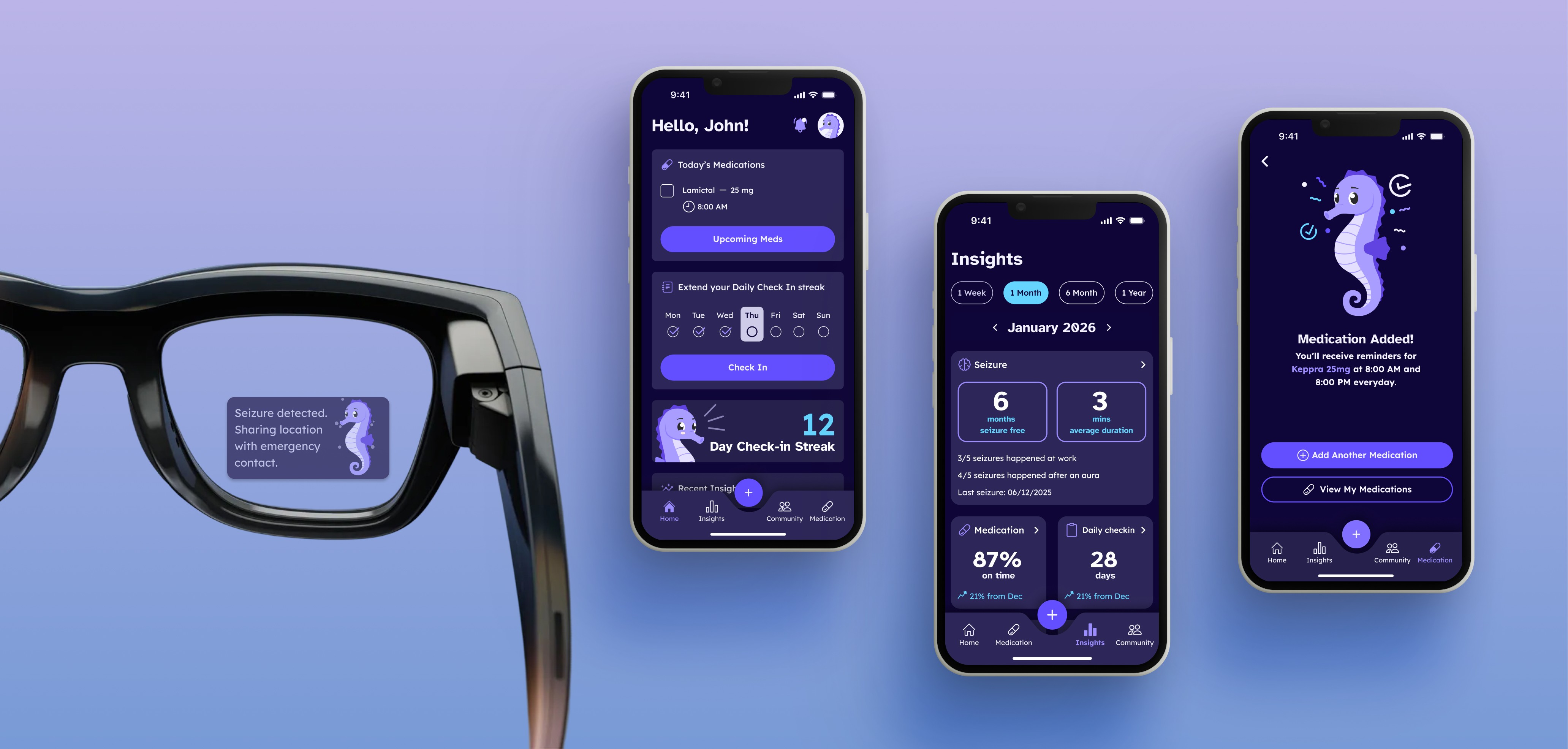
We built a centralized platform to record everything epilepsy-related, which is designed for this audience's unique pain points. Users can understand their conditions better through AI-powered insights and patterns.
Impact
93%
user satisfaction rate on the final prototype
74%
potential conversion rate
(tester to future user)
CONTEXT
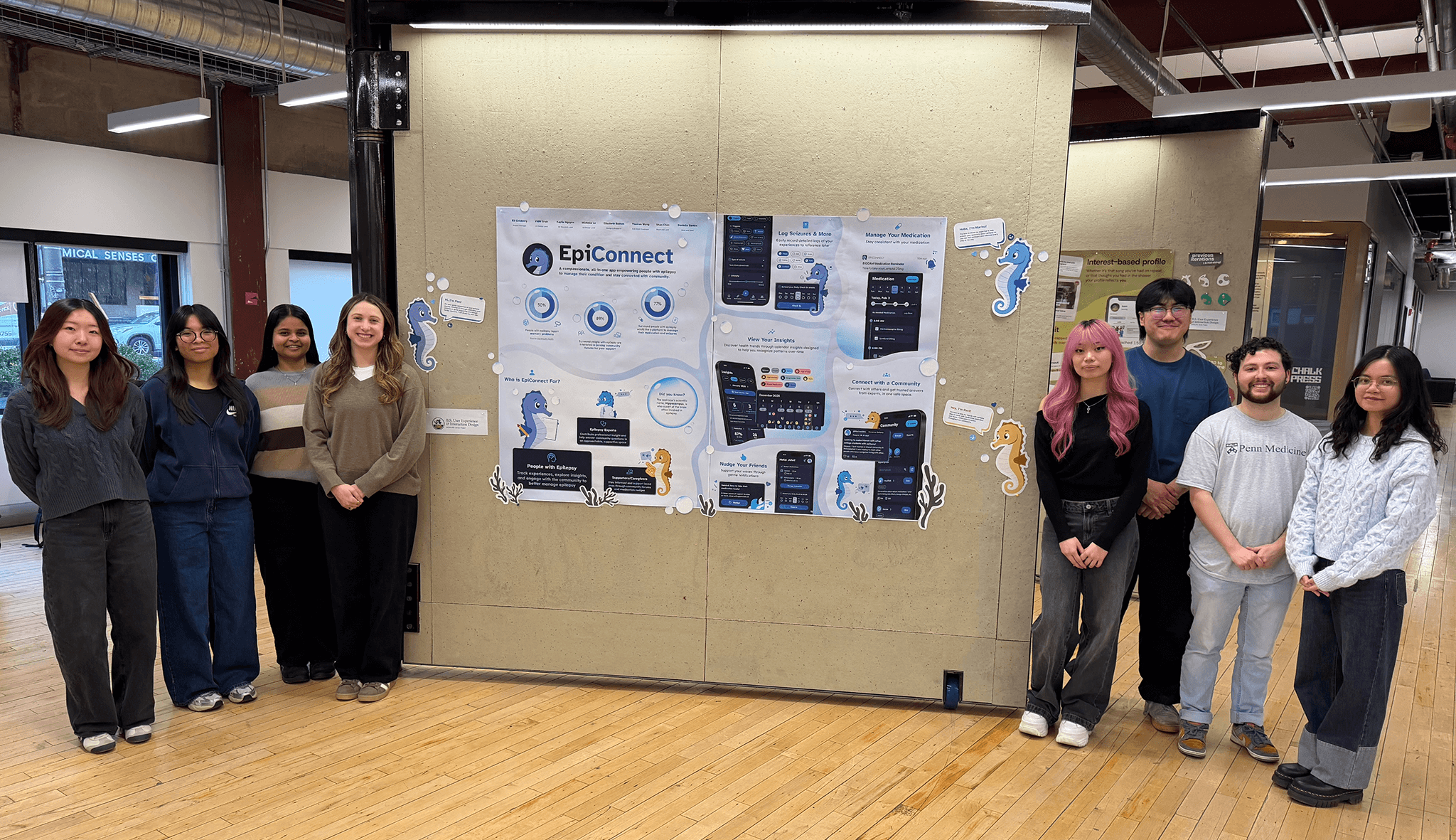
Working with researchers on an app development project
Epilepsy is the fourth most common neurological disorder in the world, which causes recurring, unprovoked seizures.
Some professors and PhD students at Drexel University are studying the human behaviors in epilepsy. We partnered with them to build an app that improves the experience of people with epilepsy and their caregivers.

PROBLEM
Epilepsy is unpredictable and patients can't keep track of their conditions
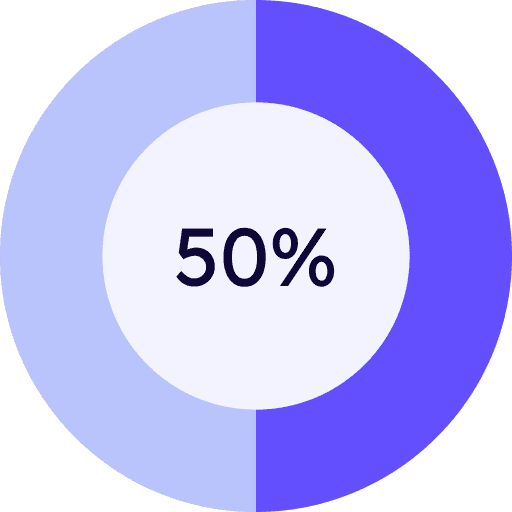
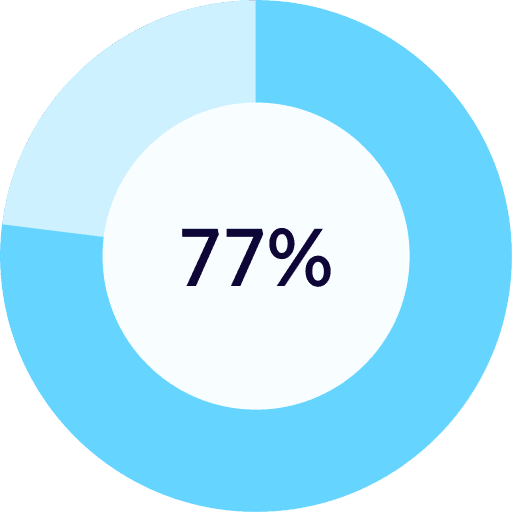
Through stakeholder interviews and secondary research, I realized that people with epilepsy have specific struggles that others don't understand.
How might we create a centralized hub catered for people with epilepsy and their specific needs, which enables them to track their symptoms and understand their conditions better?
IDEATION
Accessibility when designing for a vulnerable population
This is my first time designing for a target audience with specific health concerns, so I conducted a desirability study and a co-design session to learn how visuals and interfaces can impact people with epilepsy.
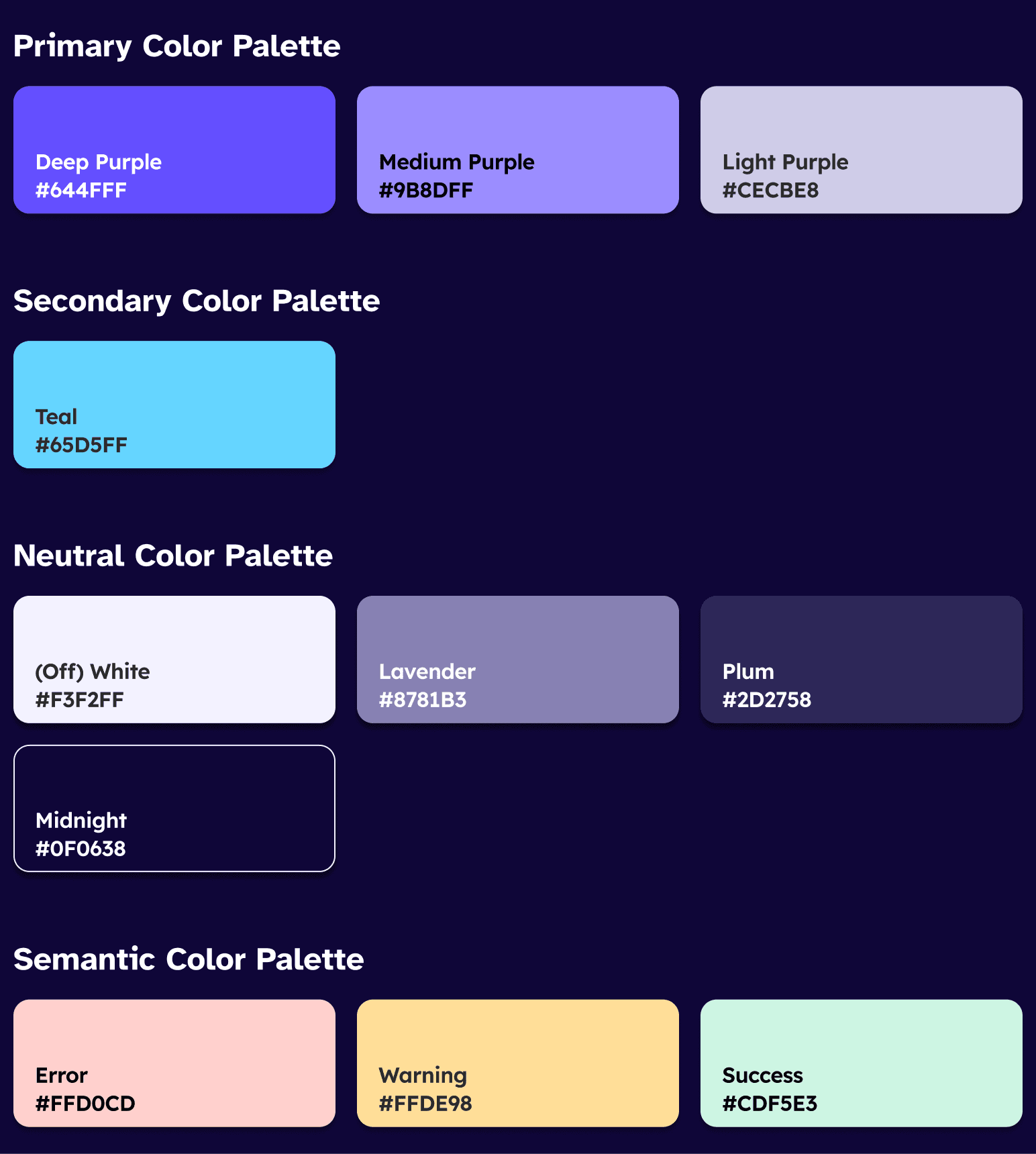
Avoid bright colors and motion
Flashing light and animation can potentially trigger seizures. We prioritized designing the dark mode version of the app while still ensuring color contrast and bring calm, relaxed feelings to users.
Personalize experiences
Epilepsy is extremely complicated and varied — each person can experience it very differently.
We customized the app experience based on individual users' unique triggers and seizure types.
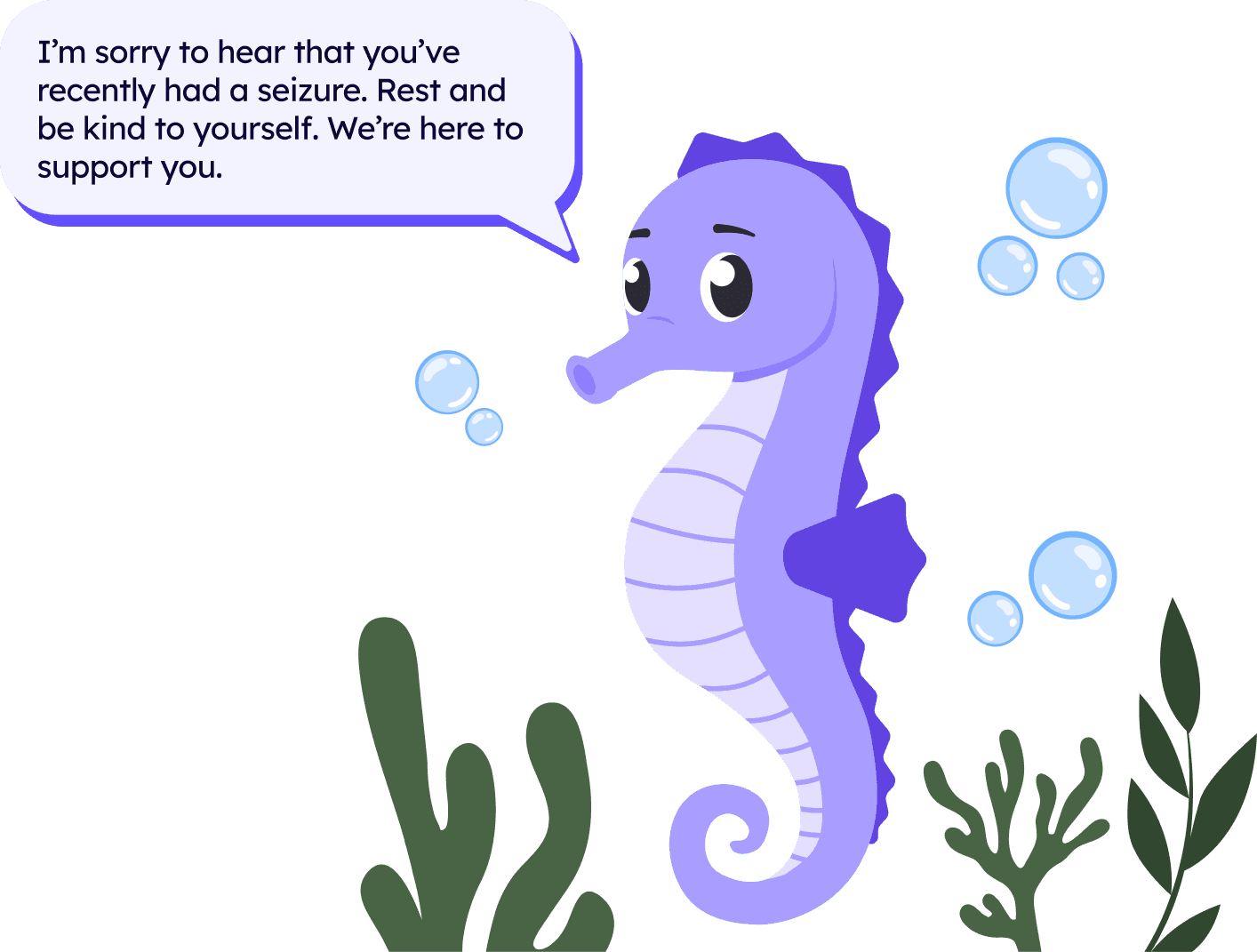
Create a positive perception of epilepsy
People often associate epilepsy with the image of a lightning bolt striking through a brain, which evokes negative connotations and emotions.
We created Finn — a mascot that acts as a gentle and supportive companion for people with epilepsy, helping them feel better about their conditions.
CHALLENGE
Manage stakeholder expectations and set product prioritization
Expectations 🌟
Stakeholders wanted to have a fully functional app with 5-6 main features that is ready to launch at the end of the 6-month project.

Constraints ⚠️
Building from scratch with no funding
Working 5-10 hours/week
Recruiting user testing participants take time
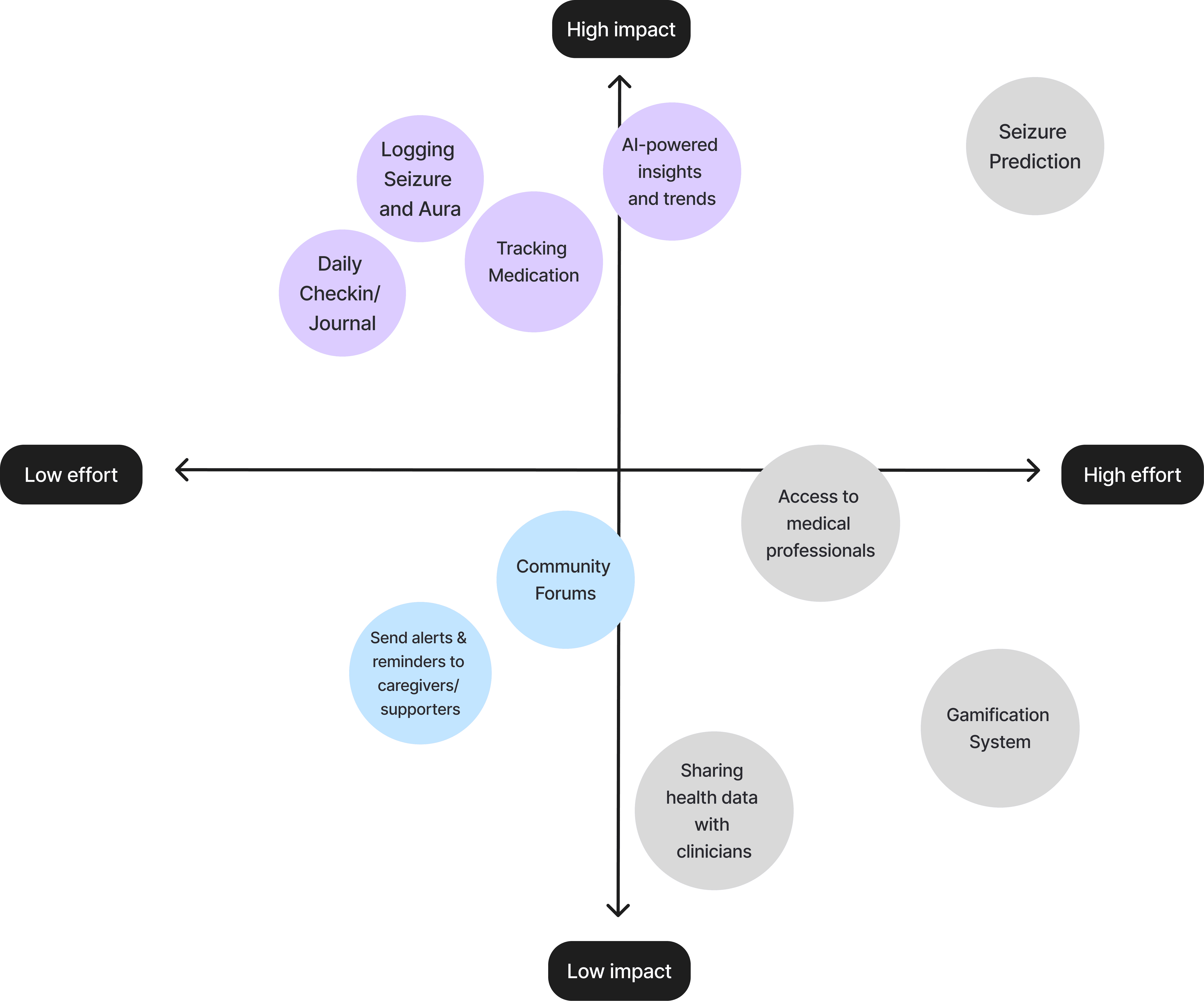
Considering stakeholder and user needs, as well as the team's bandwidth, I analyzed all the features on an Impact-Effort matrix and proposed the list of prioritization to the rest of the team.
Throughout the project, we were constantly discussing to make sure everyone on the same page with where the project goes.
Must have
Nice to have
Skip for now
DESIGN DECISION #1
All-in-one Epilepsy diary: Seizures, Medications, and Daily check-ins
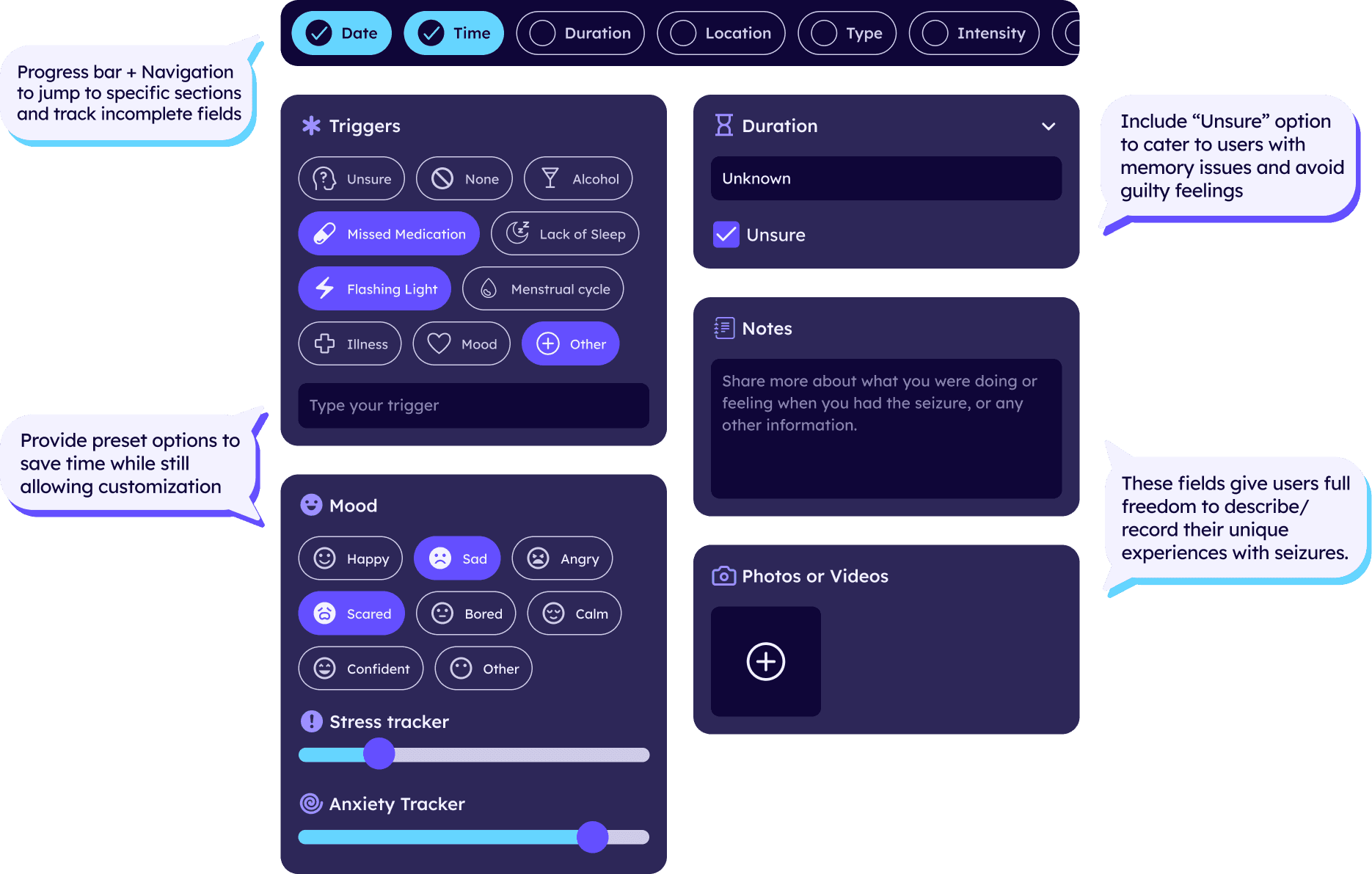
Users either don't use any platform to record their symptoms, or use too many platforms all at once: calendars, Notes app, journal, etc. These tools are not designed for people with epilepsy specifically and require a lot of manual work.
I designed a specialized feature for each type of conditions users often need to log, providing templates and auto-populated fields to save time and effort.
DESIGN DECISION #2
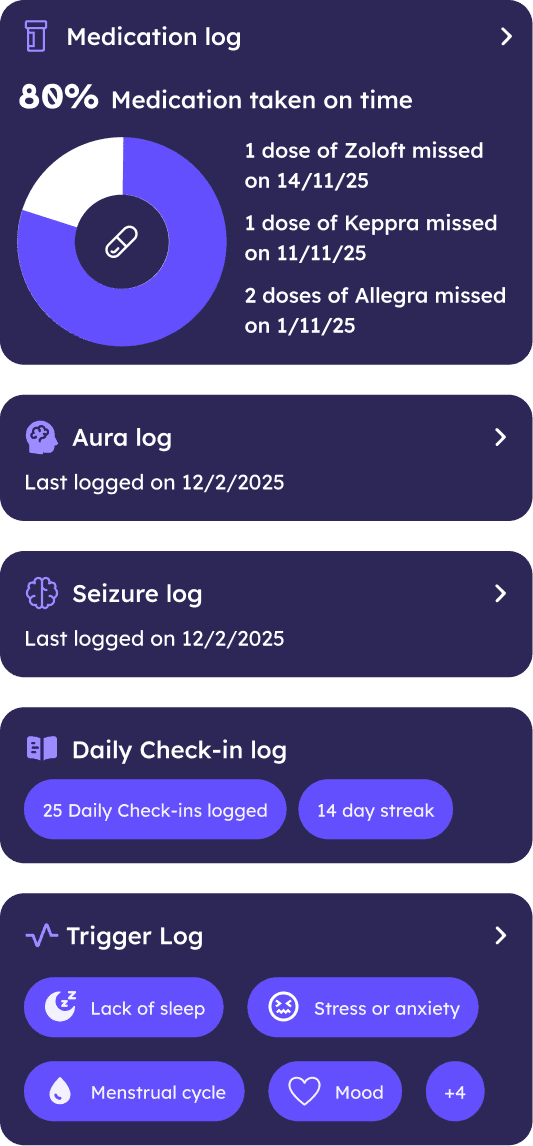
AI reveals hidden patterns in epilepsy
Logging medication and seizures wouldn't mean anything if users couldn't identify patterns and trends of their conditions, especially when epilepsy is unpredictable and complicated.
I designed an AI agent that could autonomously analyze users' data and unique experience with epilepsy — what they don't see on the surface.
Previous Iteration
Surface-level insights
No trends/ patterns over the time
Text > Statistics & data
Final Iteration
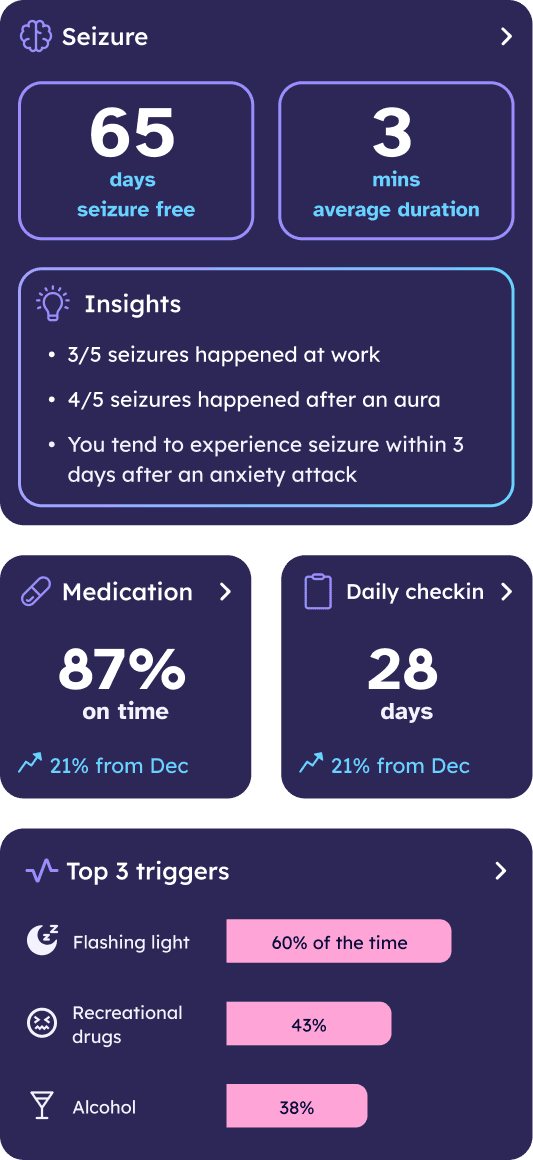
Highlight key data points + stats
Show changes in user's conditions over the time
Reveal hidden causes of seizures
Previous Iteration
Previous Iteration
Using text to describe info is confusing
Limited space to display multiple info types
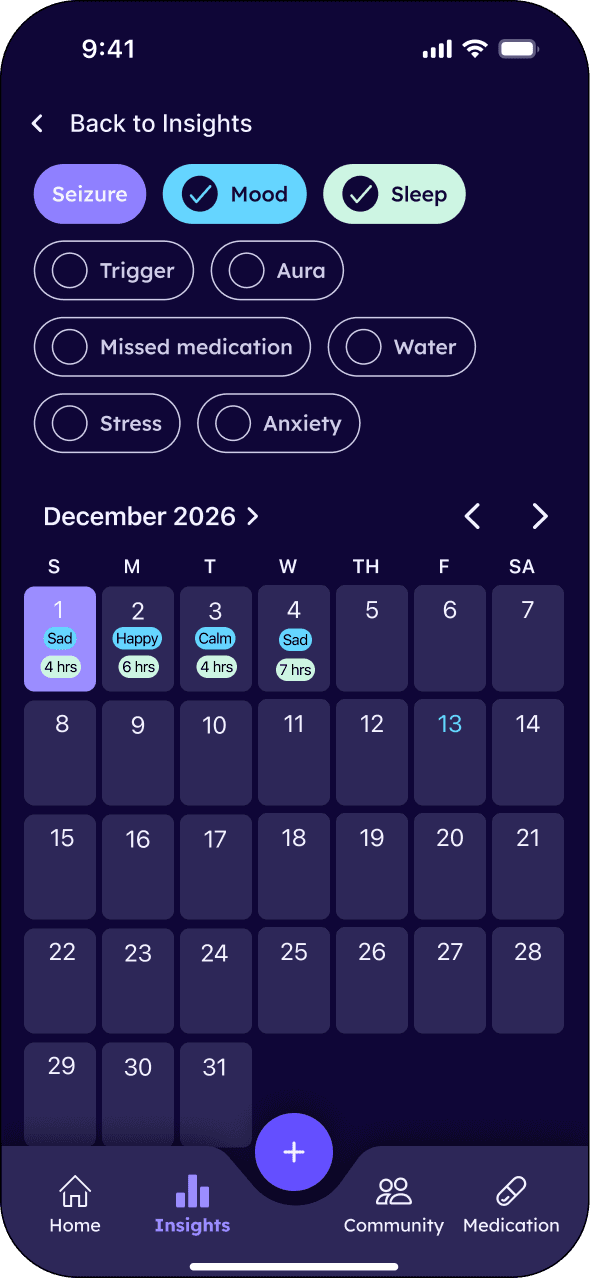
Final Iteration
Previous Iteration
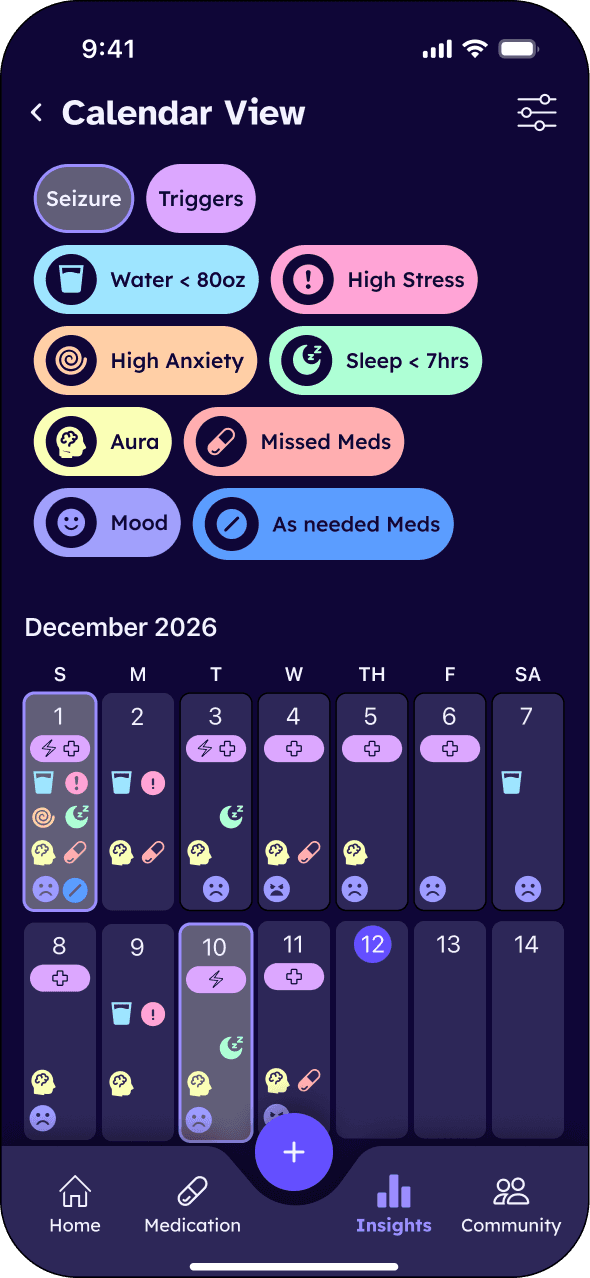
Using both icons & colors for accessibility
Show multiple info all at once for easier comparison
BEYOND THE PHONE SCREEN
Meta AI glasses as a companion when users experience seizures
The mobile app is helpful when users want to record a past experience or trigger. What if they're in the middle of seizure? How can EpiConnect be a great help?
I explored the Meta Ray-Ban Display, the AI-powered smart glasses, and how it can support users in emergency.
⚡️ During seizure
The glasses can detect unusual stillness, sudden head drops, or abnormal movement patterns
Automatically trigger the emergency flow: call/message user's emergency contact, share location, etc
😵💫 After seizure
Check in on user's post-seizure feeling and state
The AI could review what the glasses observed in the lead-up and suggest potential triggers
Show a summary of the seizure as users are likely to forget most of the experience due to memory issues
IMPACT & USER FEEDBACK
Testing participants like how well-rounded the app is and show interest in becoming real users
I tested the prototype with 12 people who live with epilepsy across the United States, and the outcome was promising.
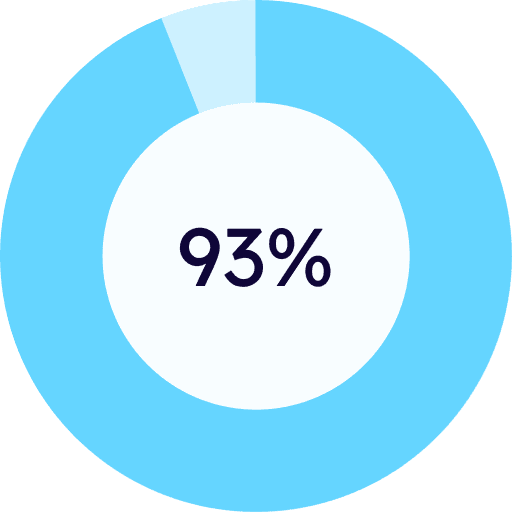
Completed all the given tasks and were satisfied with the app design and functionality
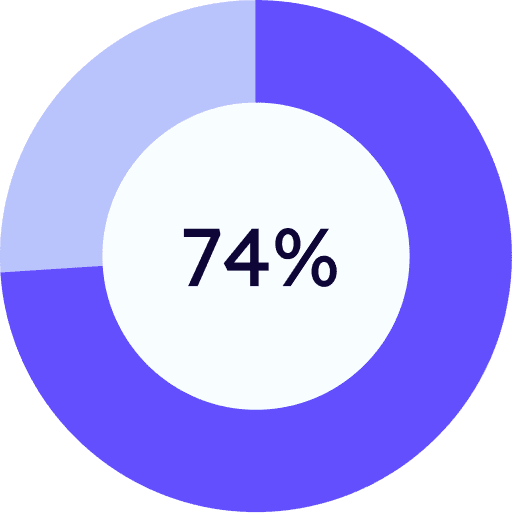
were interested in becoming a user once the app is launched
REFLECTION
What I learned as a Designer
Responsible AI
Being assigned to work on an AI-first project, I always reminded myself the most important goal was to remain user-centric and make sure my AI-powered design could solve user problems.

Think outside the box
As a designer, I’m often encouraged to follow the design systems, but in this project, I was given the creative freedom to explore new design elements. This experience taught me to take bold steps beyond the patterns I had limited myself to, create something new, and demonstrate its usability to the team.
Big thanks to my teammates for building this app with me!